4.4 Viewing Text Search Results
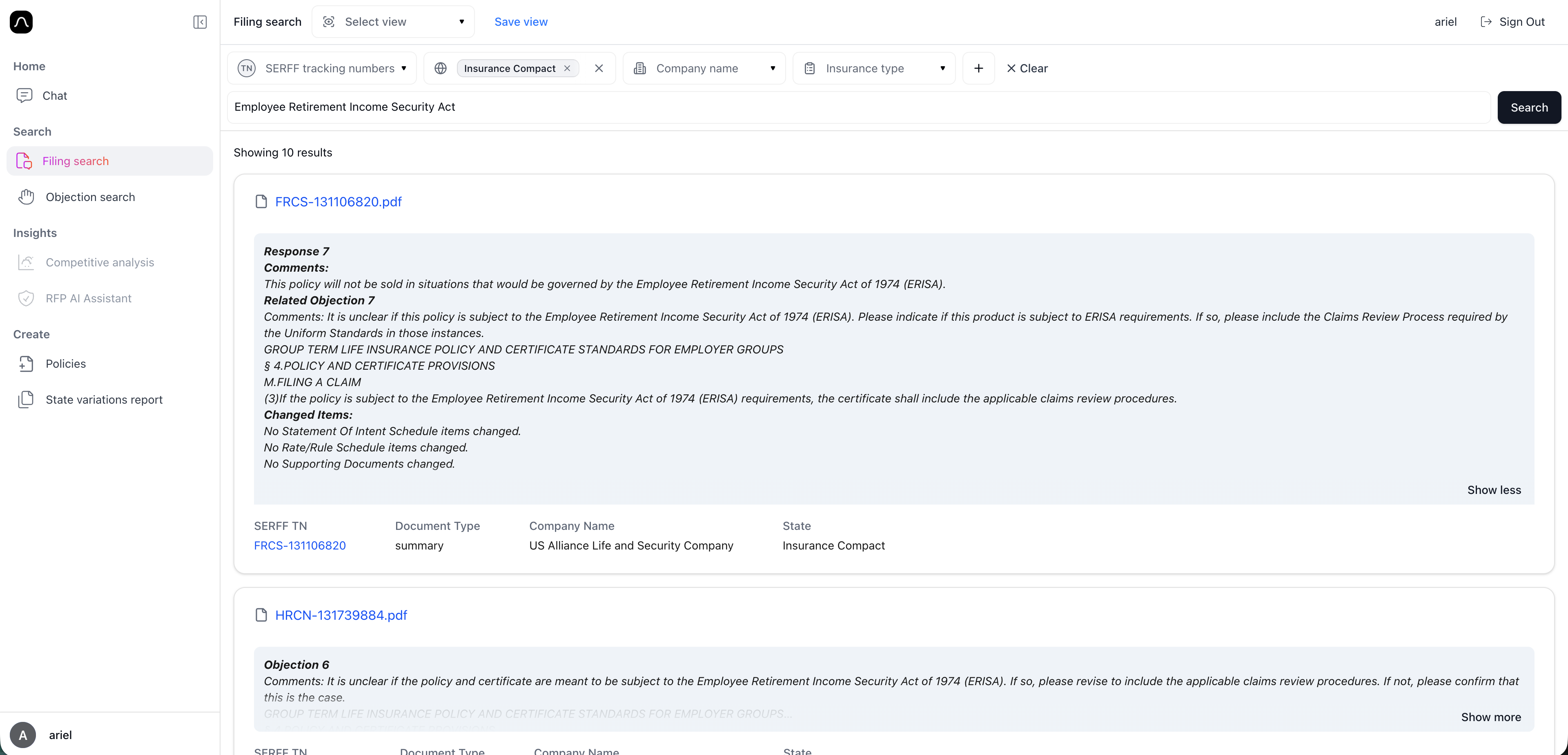
Once you apply text search, Blaise displays a list of matching filings. Each result shows key details to help you quickly understand the filing without opening it:
- Summary file
- Text search result context - the paragraph that was found by the platform with the similarity to the searched phrase
- SERFF tracking number
- Document type
- Company name
- State
You can click the filings in the list to open the full filing view. From there, you can review documents, submission details, or send documents to Chat for deeper analysis.